Table of Contents
1. Introduction
You are running online shop with products and you have to allow users to filter products by price range or you keep information in range datatype and you have to search through it. No problem, in this article I want to show how handle such scenarios.
In Elasticsearch, you can use range query to find how many documents have a value of the field falling within a specified range.
The reverse of this is querying range fields (like `long_range`) to find how many documents contain a range or fits inside a range.
2. Start ELK cluster
You can use project from article to start your cluster
3. Query data
3.1. Range Query — Products & Prices
3.1.1. Test data preparation
Load products for your shop. Each document has product name like iPhone, assigned category and price.
					PUT /product_prices
{
  "mappings": {
    "properties": {
      "product_name": { "type": "keyword" },
      "category": { "type": "keyword" },
      "price_usd": { "type": "float" }
    }
  }
}

POST /product_prices/_bulk
{"index":{}}
{"product_name":"iPhone 15","category":"Electronics","price_usd":999}
{"index":{}}
{"product_name":"Samsung Galaxy S24","category":"Electronics","price_usd":899}
{"index":{}}
{"product_name":"MacBook Air M3","category":"Computers","price_usd":1199}
{"index":{}}
{"product_name":"Dell XPS 13","category":"Computers","price_usd":1099}
{"index":{}}
{"product_name":"AirPods Pro","category":"Accessories","price_usd":249}
{"index":{}}
{"product_name":"Apple Watch","category":"Wearables","price_usd":399}
{"index":{}}
{"product_name":"Sony WH-1000XM5","category":"Audio","price_usd":349}
{"index":{}}
{"product_name":"Nintendo Switch","category":"Gaming","price_usd":299}
3.1.2. Find products priced between $300 and $1000
Common use case when your customer has certain budget and want to find product that will fit well.
					GET /product_prices/_search
{
  "query": {
    "range": {
      "price_usd": {
        "gte": 300,
        "lte": 1000
      }
    }
  }
}
Visual representation of query:

response:
					{
  "took": 1,
  "timed_out": false,
  "_shards": {
    "total": 1,
    "successful": 1,
    "skipped": 0,
    "failed": 0
  },
  "hits": {
    "total": {
      "value": 4,
      "relation": "eq"
    },
    "max_score": 1,
    "hits": [
      {
        "_index": "product_prices",
        "_id": "KOcUMpoB0dGnoH8TCAkr",
        "_score": 1,
        "_source": {
          "product_name": "iPhone 15",
          "category": "Electronics",
          "price_usd": 999
        }
      },
      {
        "_index": "product_prices",
        "_id": "KecUMpoB0dGnoH8TCAkr",
        "_score": 1,
        "_source": {
          "product_name": "Samsung Galaxy S24",
          "category": "Electronics",
          "price_usd": 899
        }
      },
      {
        "_index": "product_prices",
        "_id": "LecUMpoB0dGnoH8TCAkr",
        "_score": 1,
        "_source": {
          "product_name": "Apple Watch",
          "category": "Wearables",
          "price_usd": 399
        }
      },
      {
        "_index": "product_prices",
        "_id": "LucUMpoB0dGnoH8TCAkr",
        "_score": 1,
        "_source": {
          "product_name": "Sony WH-1000XM5",
          "category": "Audio",
          "price_usd": 349
        }
      }
    ]
  }
}
This will select all products price_usd is inclusive between 300 and 1000. 4 products are selected.
You can noticed that range appeared in DSL query whereas documents that you search over do contain single value field – not range.
3.2. Query over ranges
3.2.1. Test data preparation
In another dataset each document stores a range (using a `long_range` field) representing an income bracket.
					PUT /income_brackets
{
  "mappings": {
    "properties": {
      "bracket_name": { "type": "keyword" },
      "income_range": { "type": "long_range" }
    }
  }
}

POST /income_brackets/_bulk
{"index":{}}
{"bracket_name":"Low Income","income_range":{"lt":20000}}
{"index":{}}
{"bracket_name":"Lower Middle Income","income_range":{"gte":20000,"lte":39999}}
{"index":{}}
{"bracket_name":"Middle Income","income_range":{"gte":40000,"lte":59999}}
{"index":{}}
{"bracket_name":"Upper Middle Income","income_range":{"gte":60000,"lte":79999}}
{"index":{}}
{"bracket_name":"High Income","income_range":{"gte":80000}}
3.2.2. What category earns $45,000?
Finding which bracket contains the value 45000 can be done via range query where min and max are equal.
					GET /income_brackets/_search
{
  "query": {
    "range": {
      "income_range": {
        "relation": "contains",
        "gte": 45000,
        "lte": 45000
      }
    }
  }
}

Response:
					{
  "took": 1,
  "timed_out": false,
  "_shards": {
    "total": 1,
    "successful": 1,
    "skipped": 0,
    "failed": 0
  },
  "hits": {
    "total": {
      "value": 1,
      "relation": "eq"
    },
    "max_score": 1,
    "hits": [
      {
        "_index": "income_brackets",
        "_id": "RuckMpoB0dGnoH8TdAlQ",
        "_score": 1,
        "_source": {
          "bracket_name": "Middle Income",
          "income_range": {
            "gte": 40000,
            "lte": 59999
          }
        }
      }
    ]
  }
}
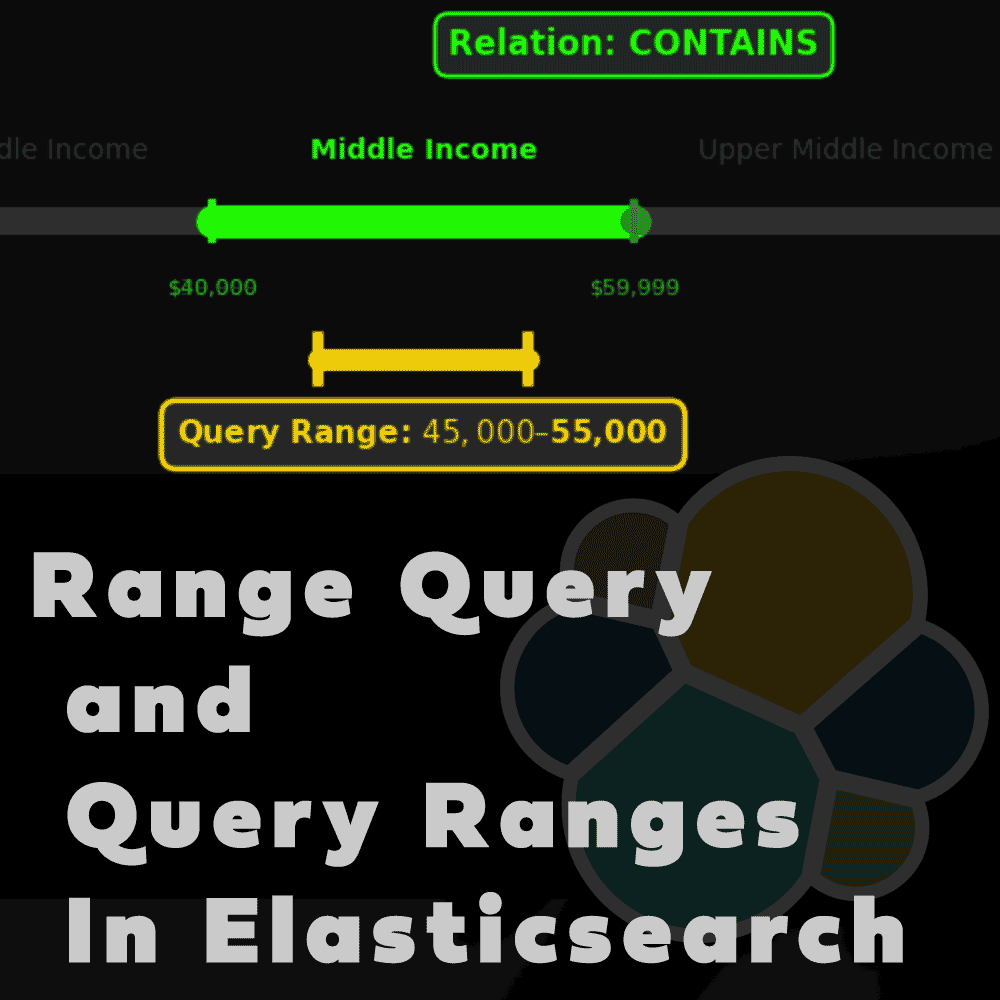
3.2.3. Which bracket includes the range $45,000–$55,000?
If you want to find all ranges that fully contain that range you can use relation type “contains”. Because in provided test data non of ranges overlapping each other, you will have only one result.
					GET /income_brackets/_search
{
  "query": {
    "range": {
      "income_range": {
        "relation": "contains",
        "gte": 45000,
        "lte": 55000
      }
    }
  }
}

response:
					{
  "took": 0,
  "timed_out": false,
  "_shards": {
    "total": 1,
    "successful": 1,
    "skipped": 0,
    "failed": 0
  },
  "hits": {
    "total": {
      "value": 1,
      "relation": "eq"
    },
    "max_score": 1,
    "hits": [
      {
        "_index": "income_brackets",
        "_id": "RuckMpoB0dGnoH8TdAlQ",
        "_score": 1,
        "_source": {
          "bracket_name": "Middle Income",
          "income_range": {
            "gte": 40000,
            "lte": 59999
          }
        }
      }
    ]
  }
}
3.2.4. Which brackets overlap with $70,000-$90,000?
Find all ranges that intersect (Document’s range overlaps at all with the query range or value) that range:
					GET /income_brackets/_search
{
  "query": {
    "range": {
      "income_range": {
        "relation": "intersects",
        "gte": 70000,
        "lte": 90000
      }
    }
  }
}

response:
					{
  "took": 1,
  "timed_out": false,
  "_shards": {
    "total": 1,
    "successful": 1,
    "skipped": 0,
    "failed": 0
  },
  "hits": {
    "total": {
      "value": 2,
      "relation": "eq"
    },
    "max_score": 1,
    "hits": [
      {
        "_index": "income_brackets",
        "_id": "R-ckMpoB0dGnoH8TdAlQ",
        "_score": 1,
        "_source": {
          "bracket_name": "Upper Middle Income",
          "income_range": {
            "gte": 60000,
            "lte": 79999
          }
        }
      },
      {
        "_index": "income_brackets",
        "_id": "SOckMpoB0dGnoH8TdAlQ",
        "_score": 1,
        "_source": {
          "bracket_name": "High Income",
          "income_range": {
            "gte": 80000
          }
        }
      }
    ]
  }
}
3.2.5. Which brackets are within $30,000–$65,000?
Find all ranges that are completely within the query range:
					GET /income_brackets/_search
{
  "query": {
    "range": {
      "income_range": {
        "relation": "within",
        "gte": 30000,
        "lte": 65000
      }
    }
  }
}

response:
					{
  "took": 2,
  "timed_out": false,
  "_shards": {
    "total": 1,
    "successful": 1,
    "skipped": 0,
    "failed": 0
  },
  "hits": {
    "total": {
      "value": 1,
      "relation": "eq"
    },
    "max_score": 1,
    "hits": [
      {
        "_index": "income_brackets",
        "_id": "RuckMpoB0dGnoH8TdAlQ",
        "_score": 1,
        "_source": {
          "bracket_name": "Middle Income",
          "income_range": {
            "gte": 40000,
            "lte": 59999
          }
        }
      }
    ]
  }
}
4. Conclusion
In this knowledge article you have learned basic range queries so from now you are not afraid to save data in ranges or query data with ranges.
Have a nice coding!